One program for all your live sound playback
Audio X runs the cue list, the radio, the soundboard, the announcement microphone, the recorder and the show control of a venue from a single Windows PC, and puts the controls in your pocket.
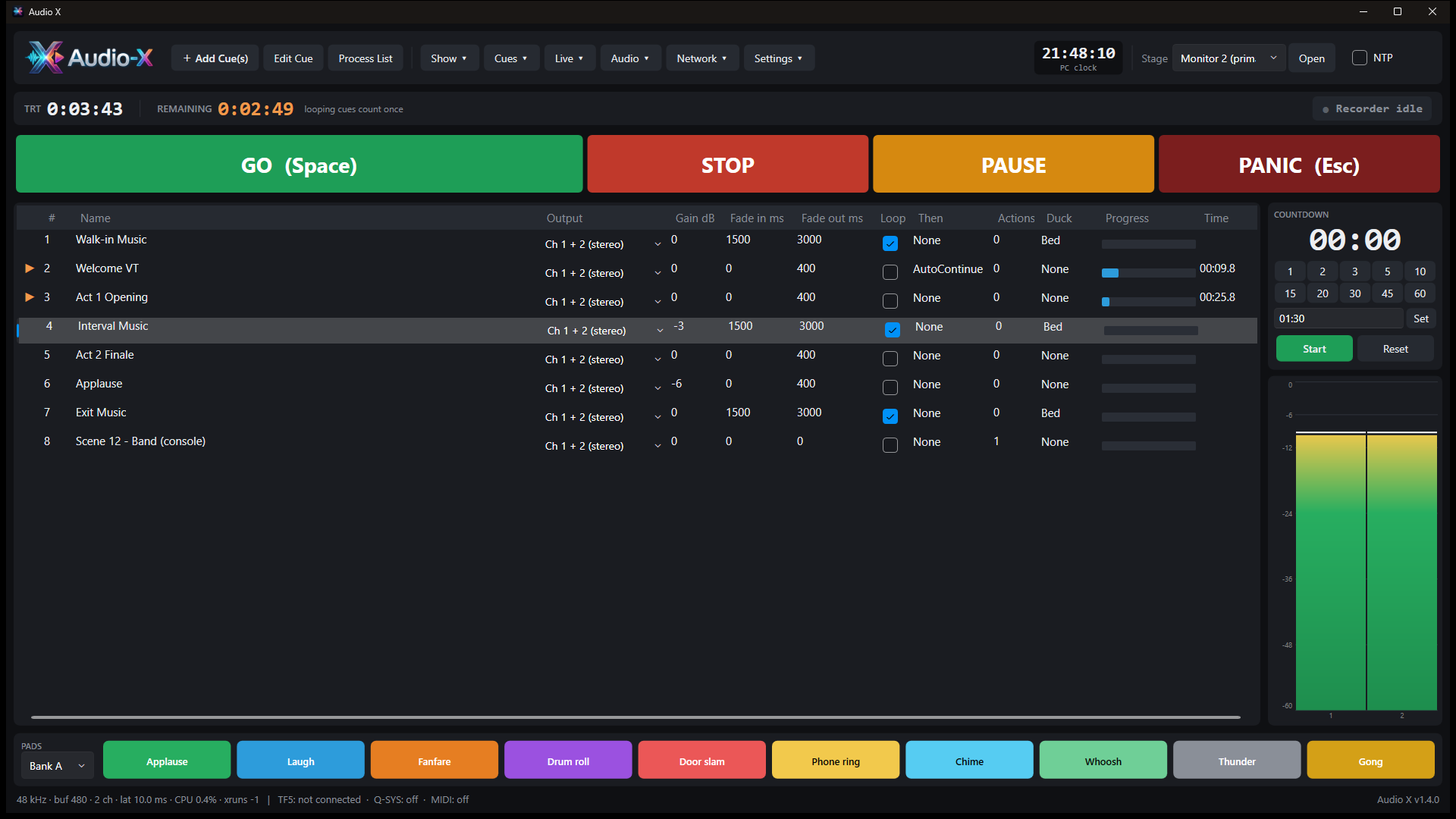
Audio X runs the cue list, the radio, the soundboard, the announcement microphone, the recorder and the show control of a venue from a single Windows PC, and puts the controls in your pocket.
Theatres, venues, clubs, conferences, radio-style background music and hire companies all need the same things: sound that starts exactly when asked, never leaves dead air, and can be run from wherever the operator is standing.
GO, STOP, PAUSE and PANIC. Fades, loops, auto-continue and auto-follow, per-cue outputs across up to 64 ASIO channels, and a countdown timer for the interval.
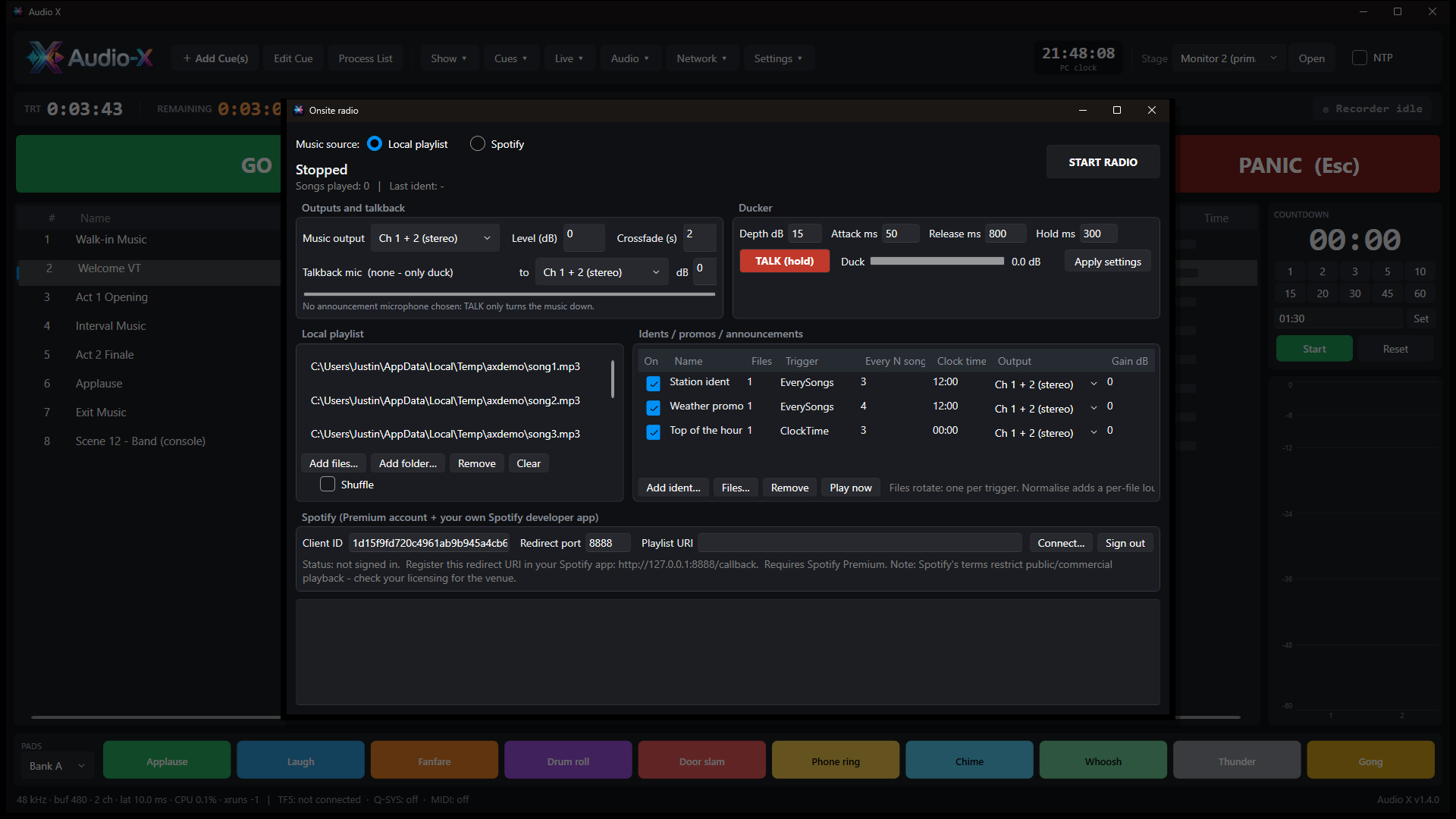
Shuffled playlists with idents, promos and announcements mixed in one at a time between songs. Local files or Spotify. No dead air, no clashes.
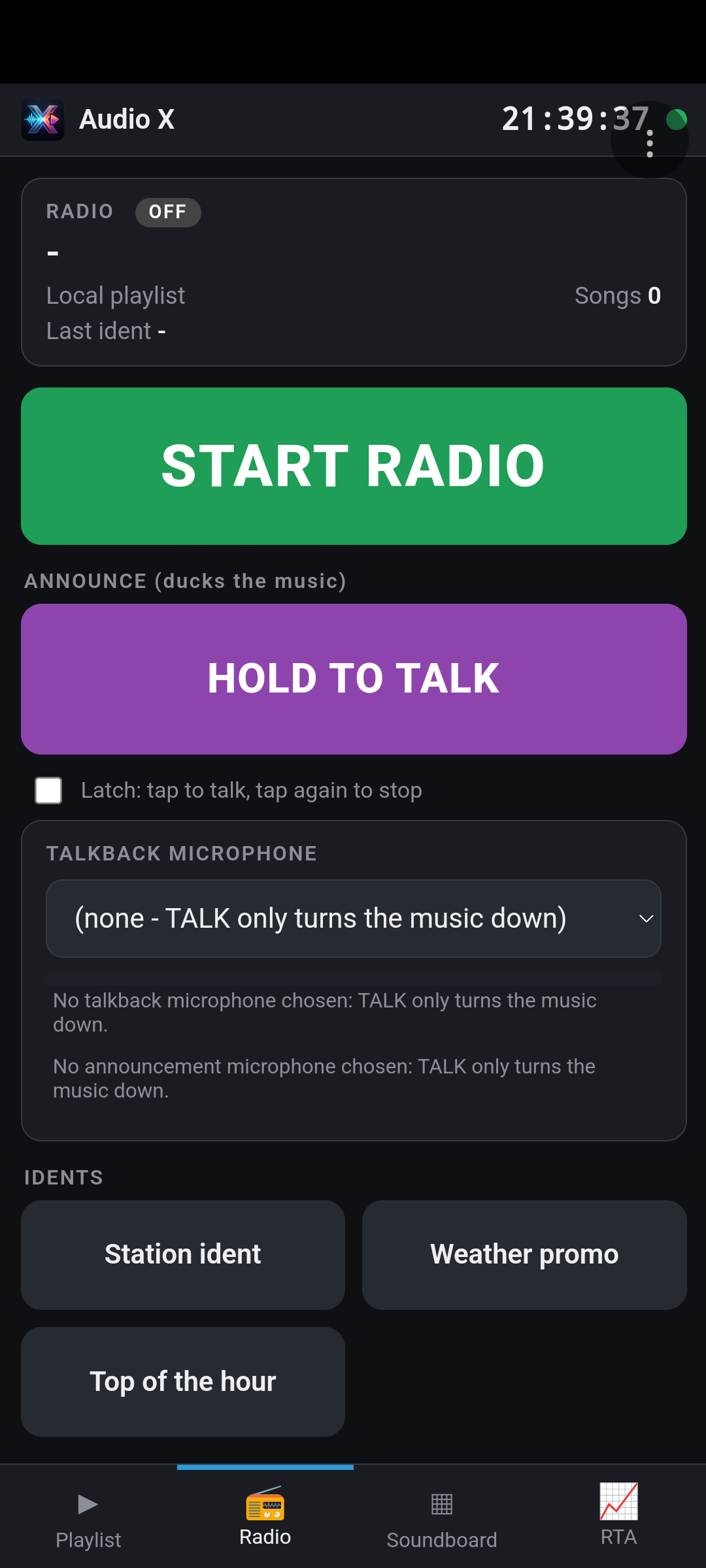
Talkback from any microphone on the PC, a stage channel on Dante or USB, or a phone. Auto gain and feedback suppression keep it loud and clean while the music ducks.
Cues can recall Yamaha TF scenes, move faders and mutes, send MIDI, and trigger Q-SYS controls and snapshots, all at the right moment.
A PIN-protected web page and an Android app give you the transport, the cue list, the radio and the soundboard on any device on the network.
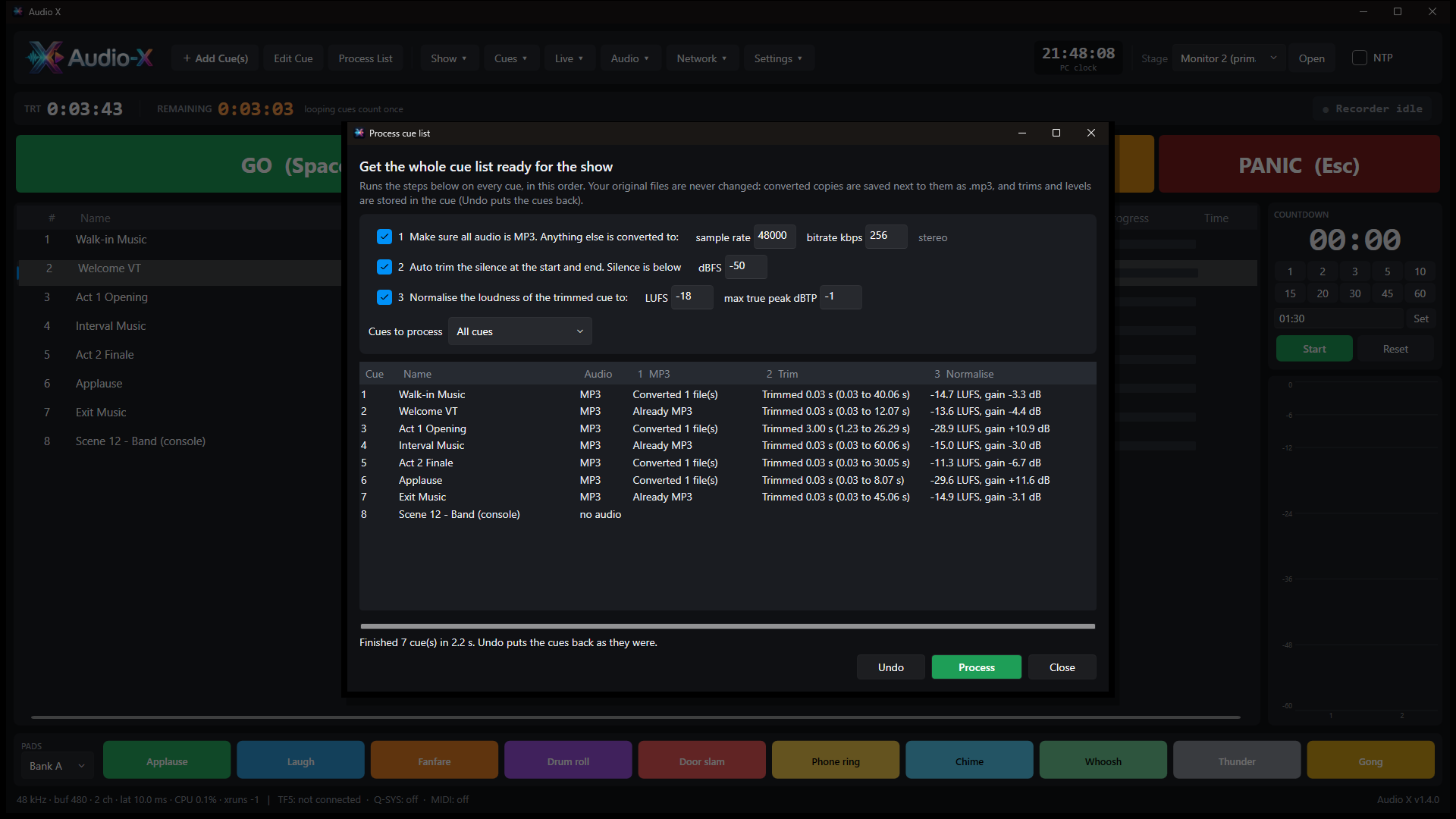
Process List converts your cues to MP3, trims the silence and normalises every cue to the same loudness. Your original files are never touched.
Six menus, three buttons, and every function a click away.
Build a playlist, add idents that play after every N songs or at a clock time, press Start. Songs and idents are loaded ahead and crossfaded, so there is never a gap.
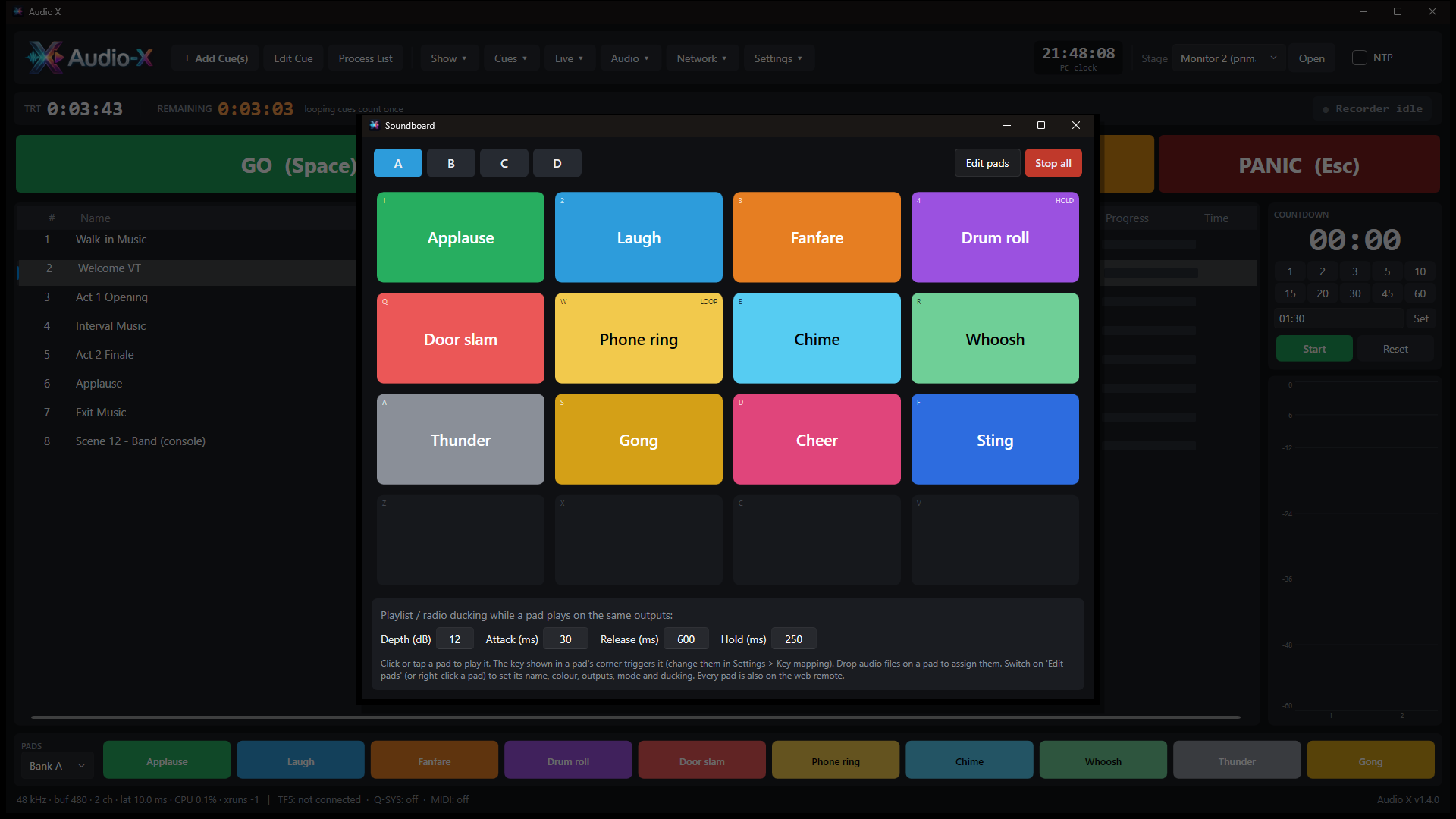
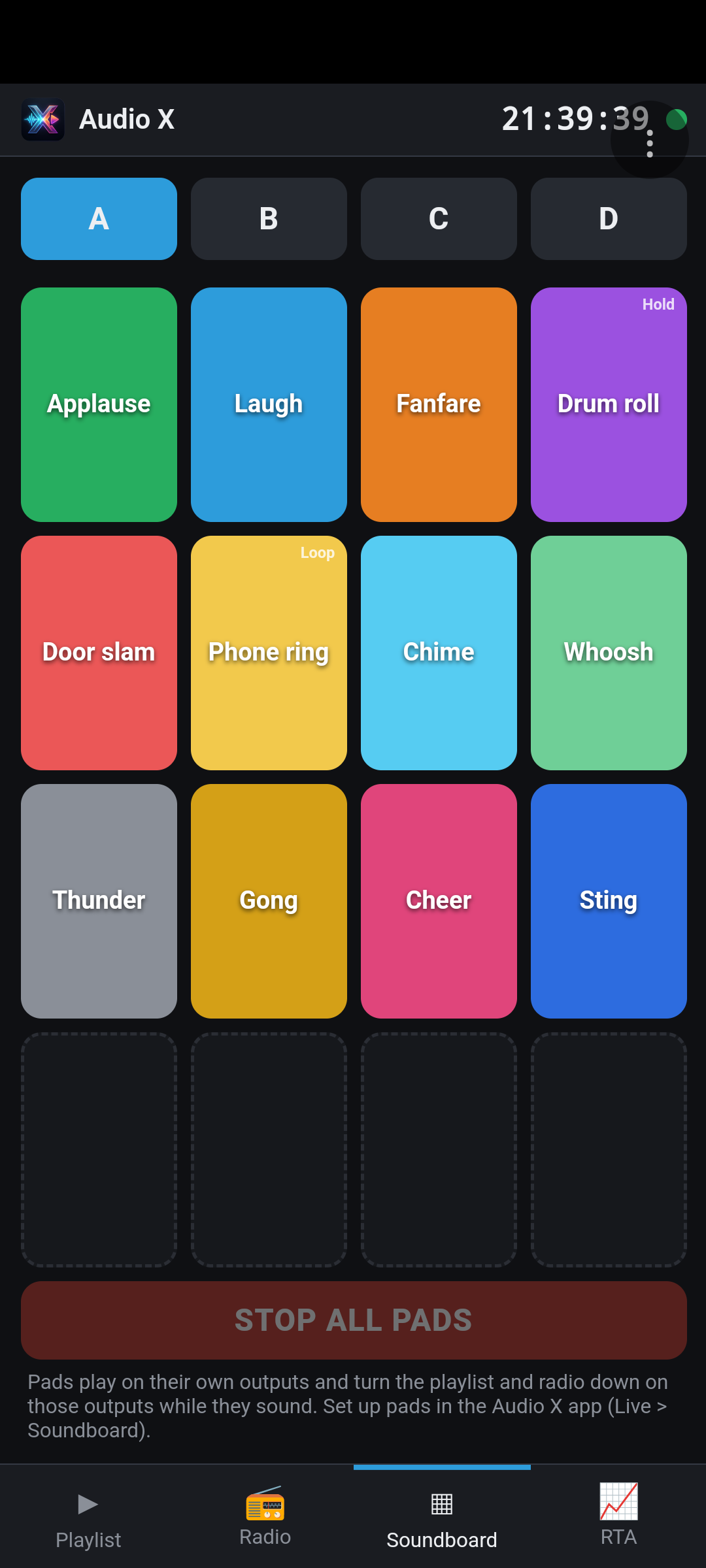
Four banks of sixteen pads, loaded in advance so a press starts in about 25 ms. One-shot, toggle, hold or loop, each with its own outputs, colour and fades.
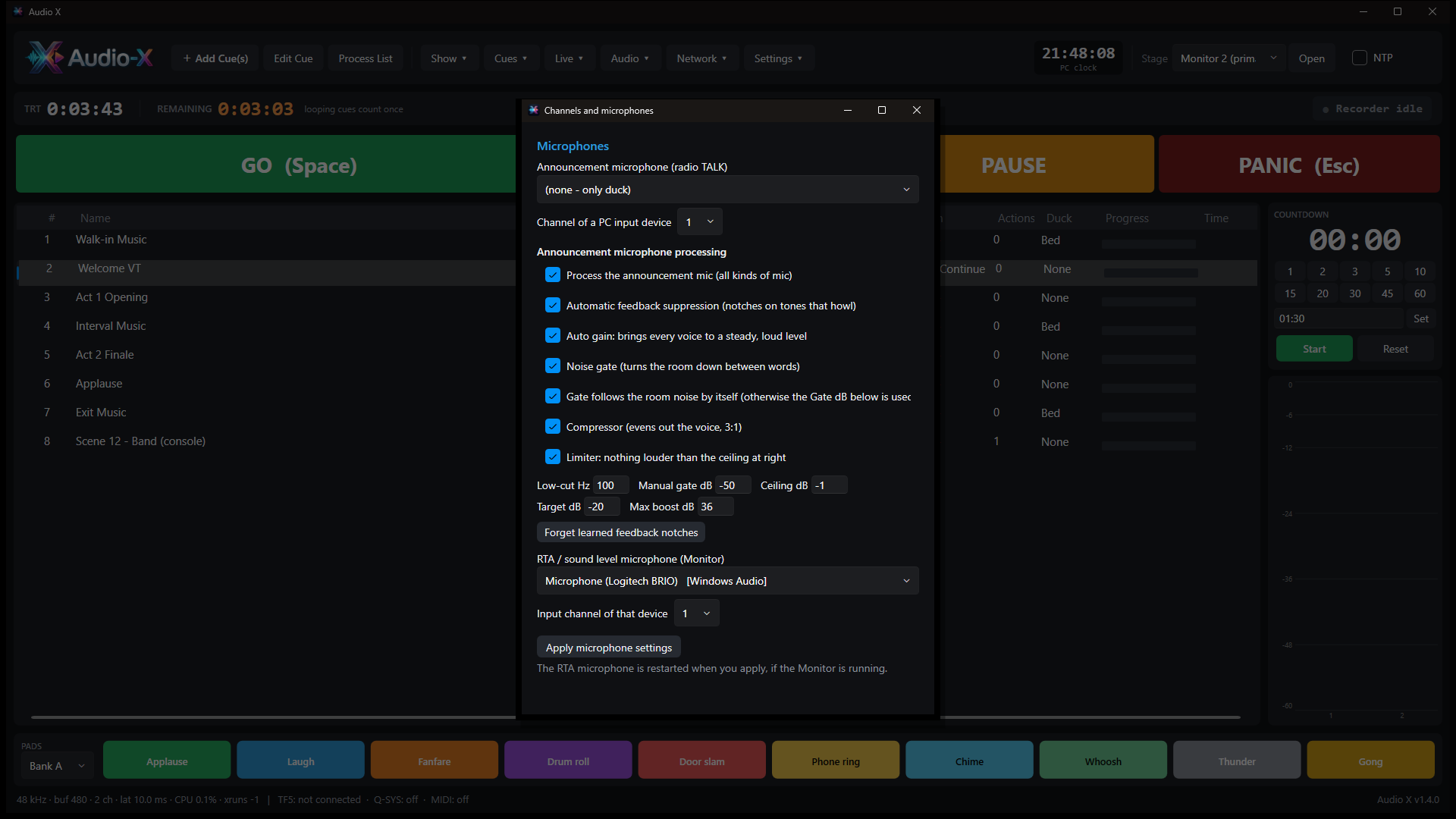
Use any capture device on the PC, an input on the main audio device, or the microphone of a phone or tablet. The signal is processed all the time, so it is ready the moment you press TALK.
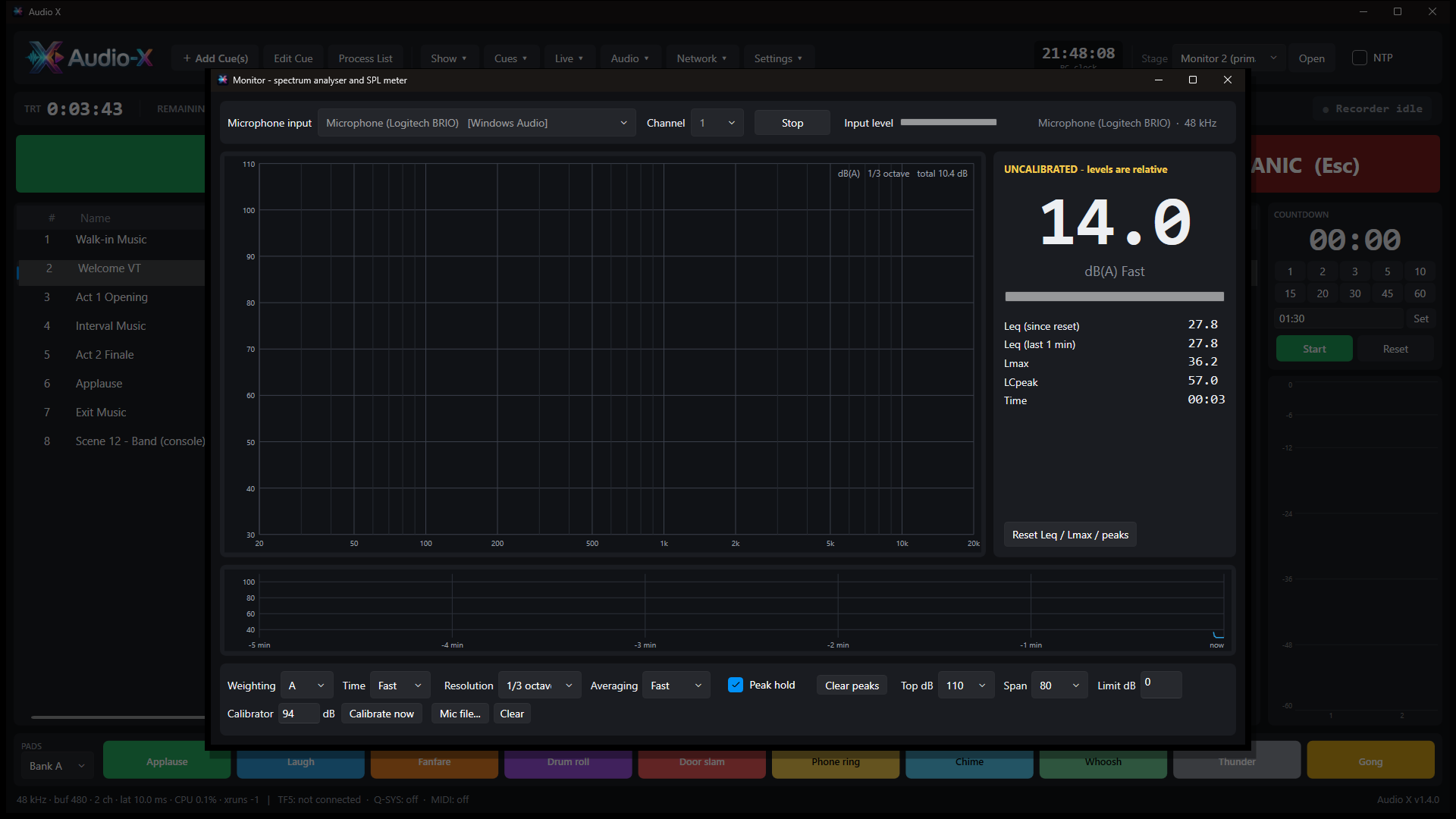
A real-time spectrum analyser from 1/3 to 1/48 octave and an SPL meter with A, C and Z weighting, Leq, Lmax, a limit alarm and calibration.
An aid for monitoring, not a certified sound level meter.
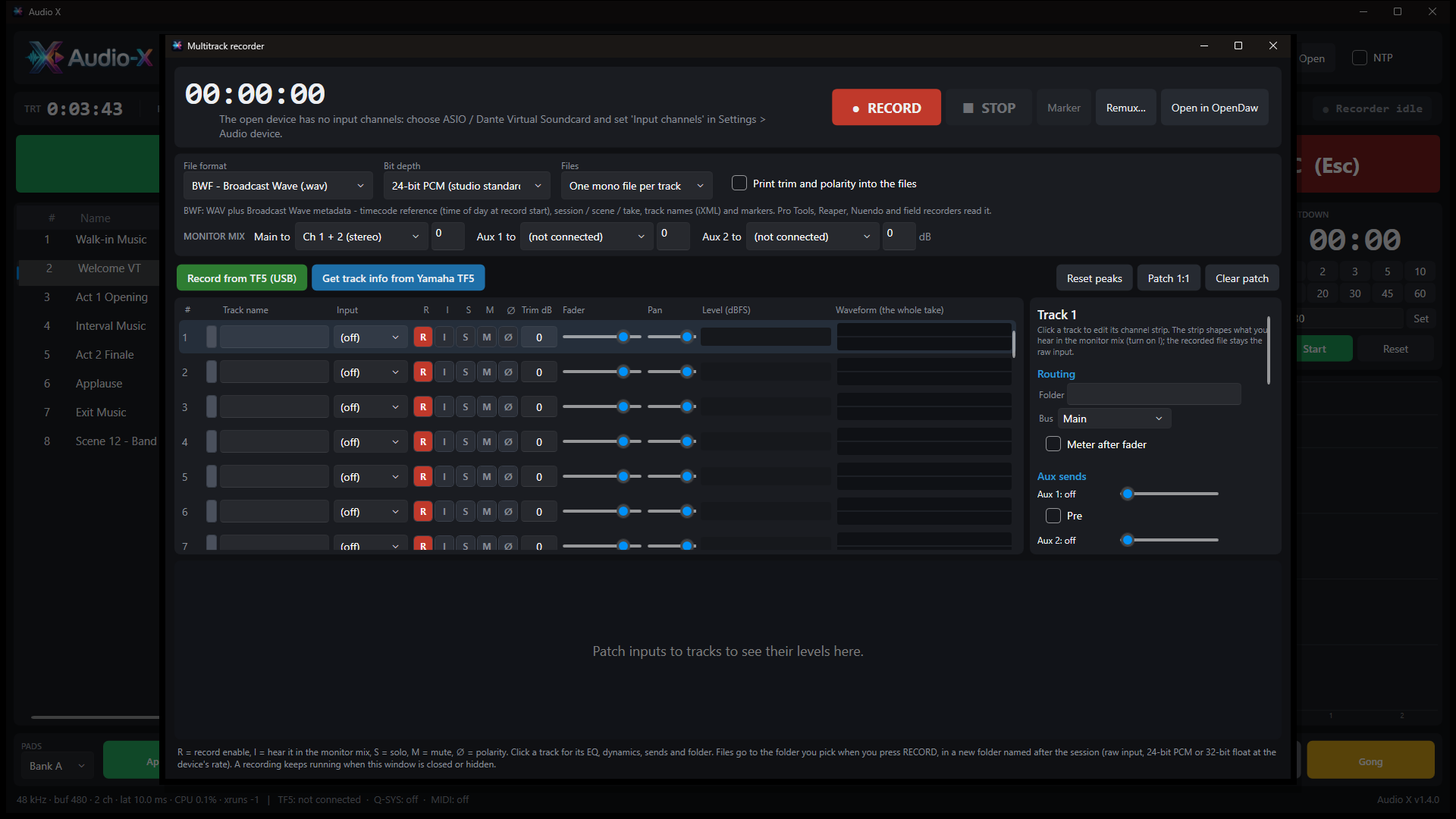
Record straight from Dante Virtual Soundcard or a Yamaha TF over USB. Broadcast WAV with time reference and iXML, RF64 for very long takes, 24-bit or 32-bit float.
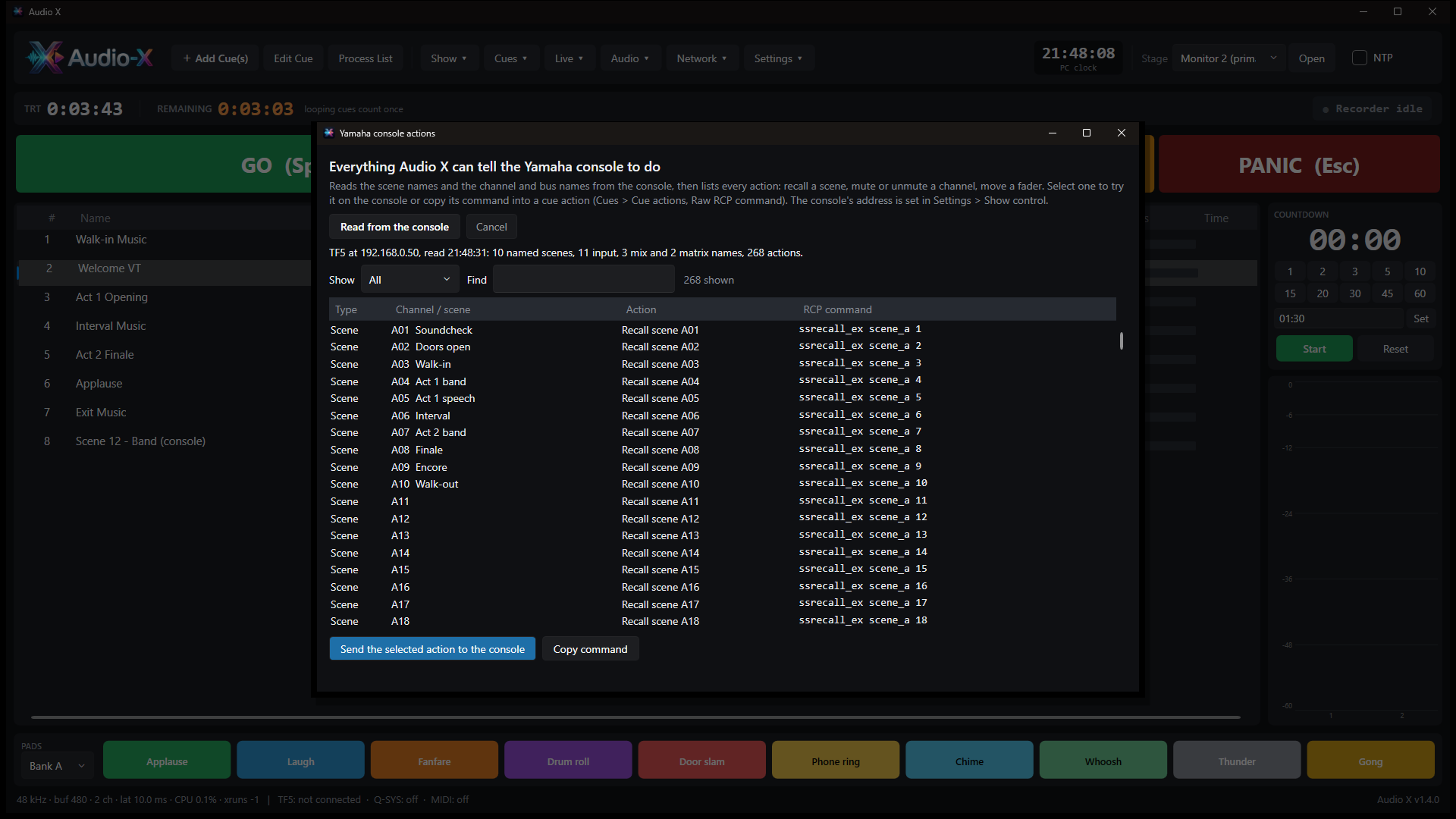
Add actions to any cue: recall a Yamaha TF scene, mute a channel, move a fader, send MIDI, fire a Q-SYS snapshot. Read the scene and channel names from the console and see every available action, with its exact command, in one list.
The new Process List and Media Converter take care of the audio and video housekeeping.
For every cue, Process List:
Originals stay untouched, and Undo puts everything back.
Convert between WAV, FLAC, MP3, AAC, Ogg and Opus, or MP4, MKV, MOV and WebM video with H.264, H.265, AV1, VP9 or ProRes. Scale from 4K to 360p, change the frame rate, re-wrap without re-encoding, or drop in a whole folder.
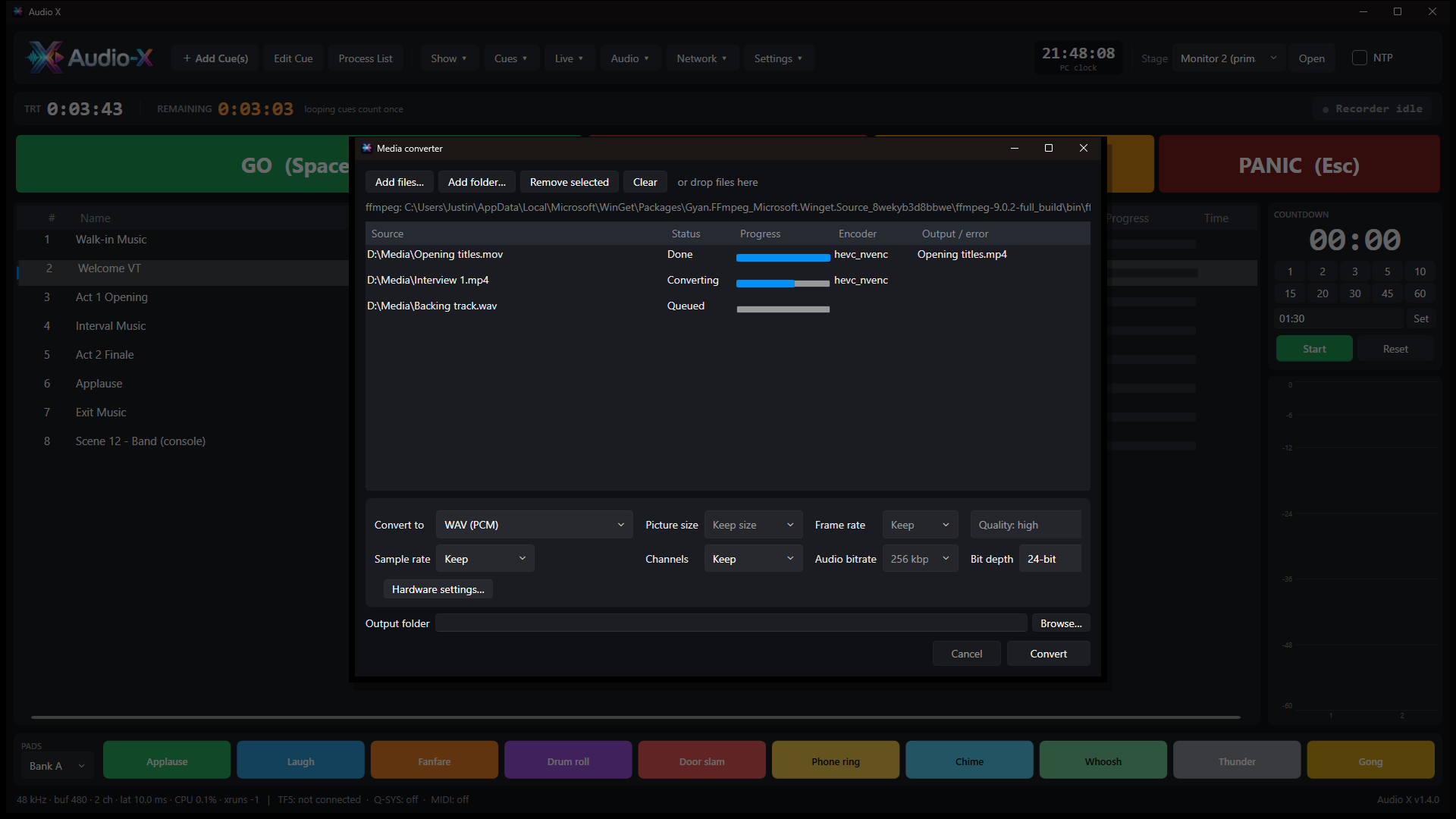
Drag the markers on the waveform, find the real start and end automatically, set fades and gain, and preview the cut. Need more? Send the cue to OpenDaw for full editing.
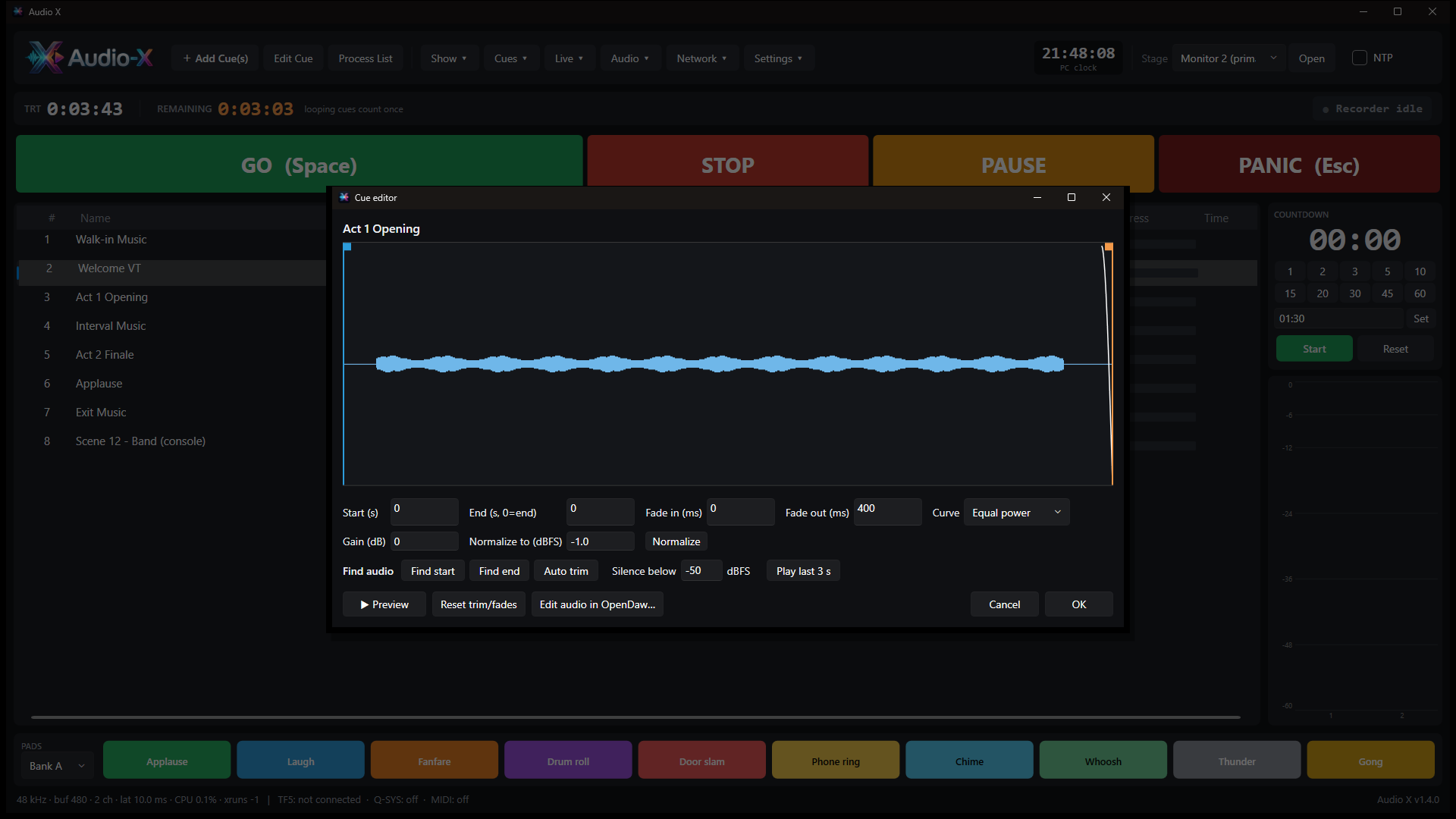
See the graphics cards in the PC and the GPU encoders that really work, choose which one to use, and set how many files are processed at once for batch jobs.
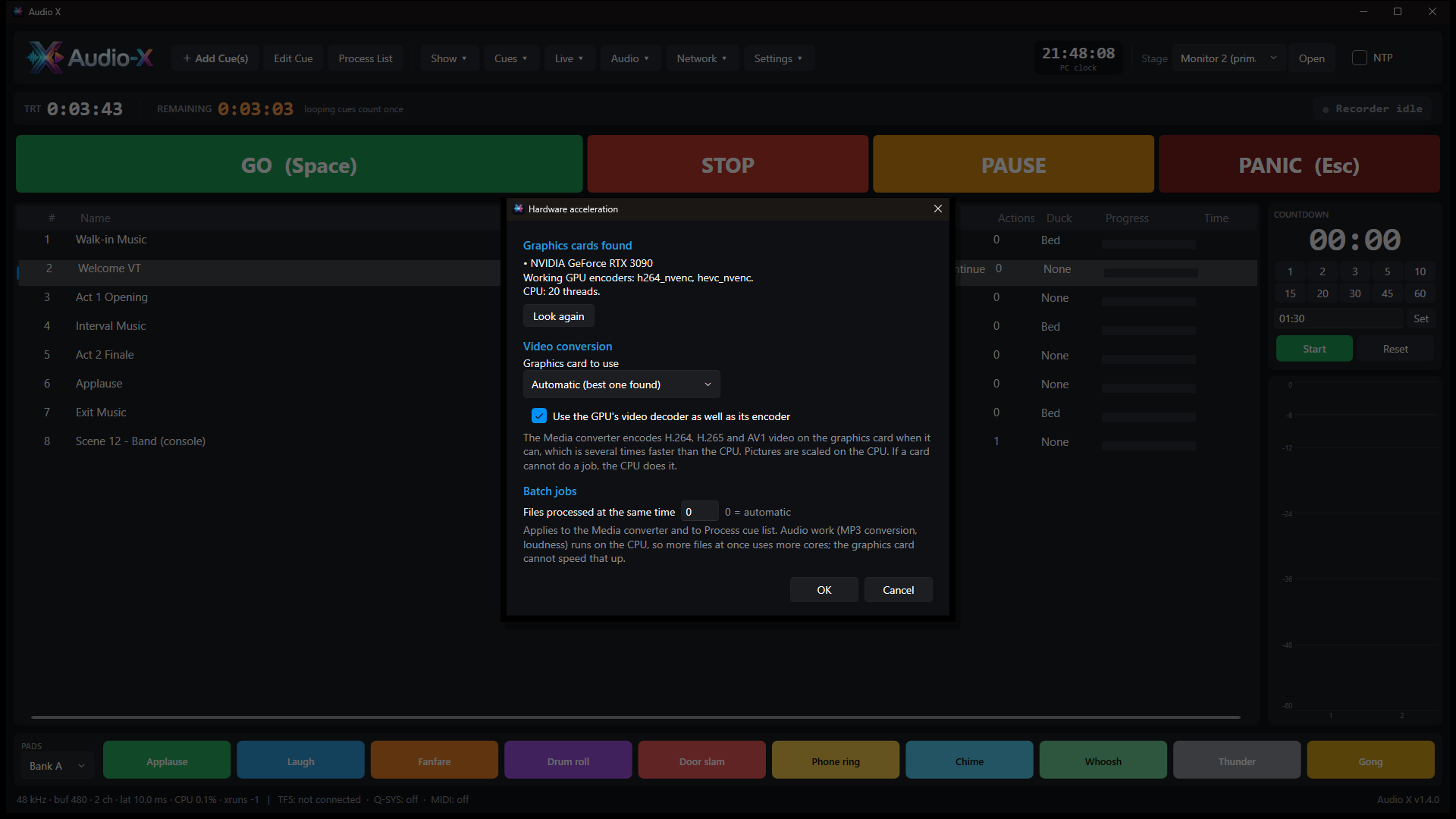
Open a web address or the Audio X Remote Android app: sign in with a PIN, and the playlist, radio and soundboard are in your hand. A phone can even be the announcement microphone.
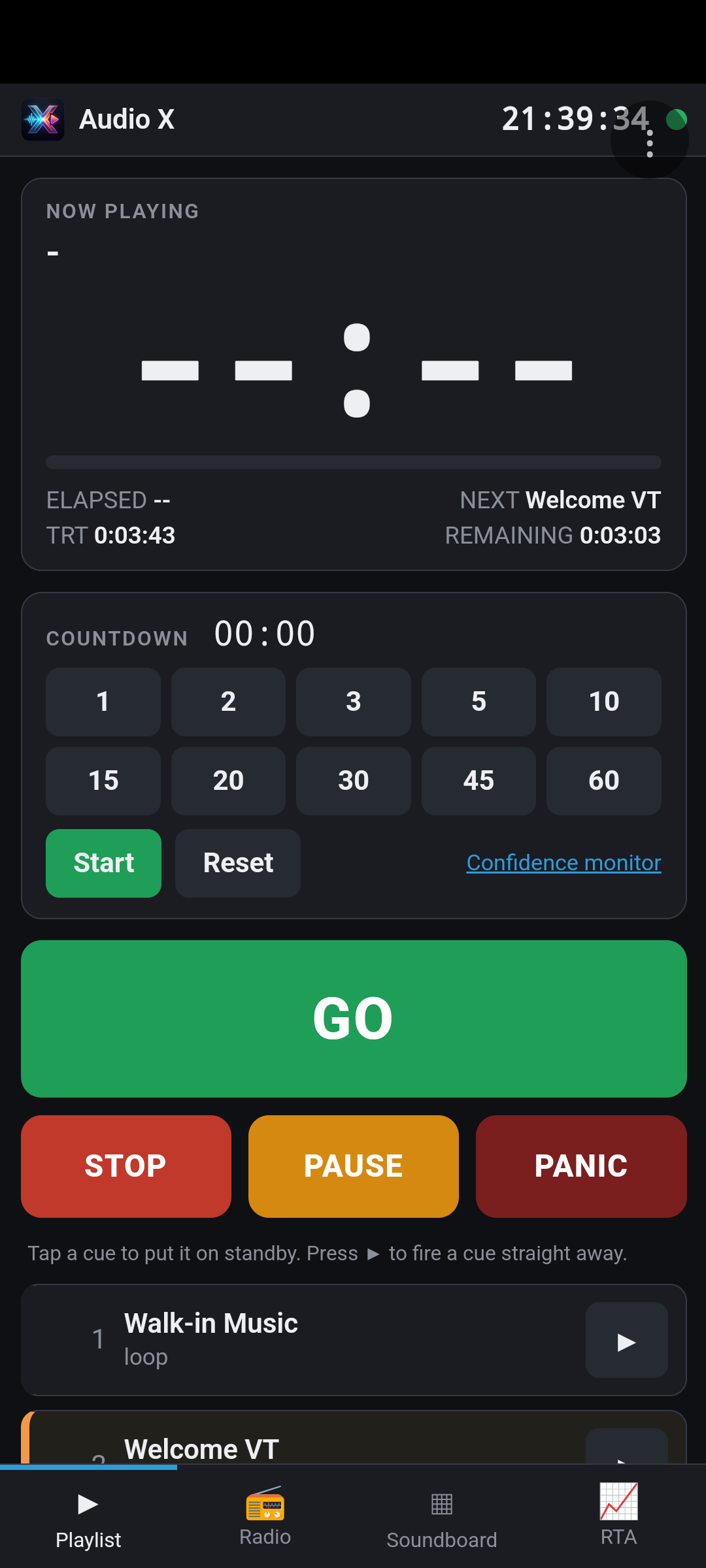
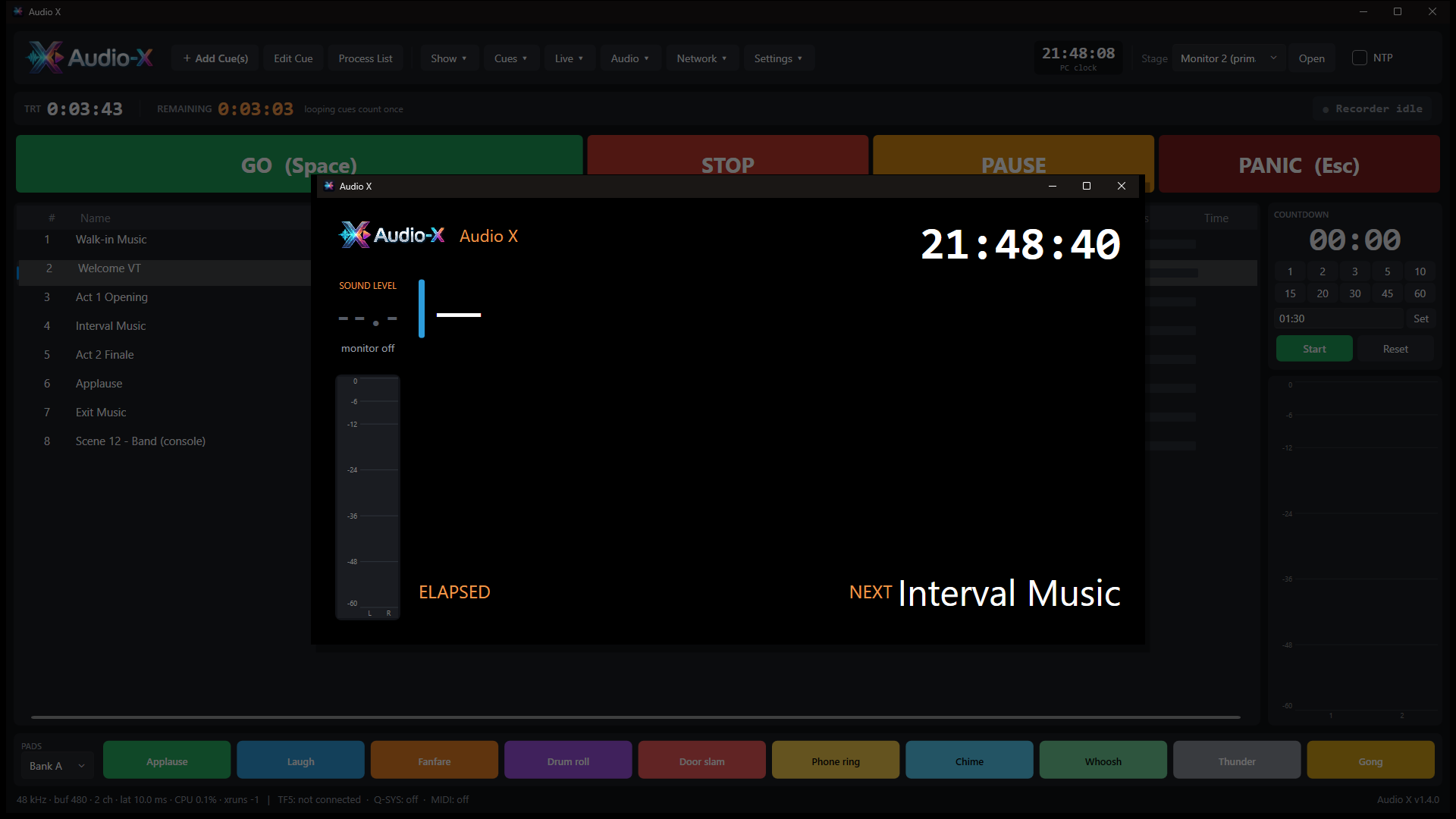
Show the clock, what is playing, the time remaining, the next cue, the countdown and the levels on stage, in the wings or on a smart TV. Use the free Stage Viewer on another PC, or just a web browser.
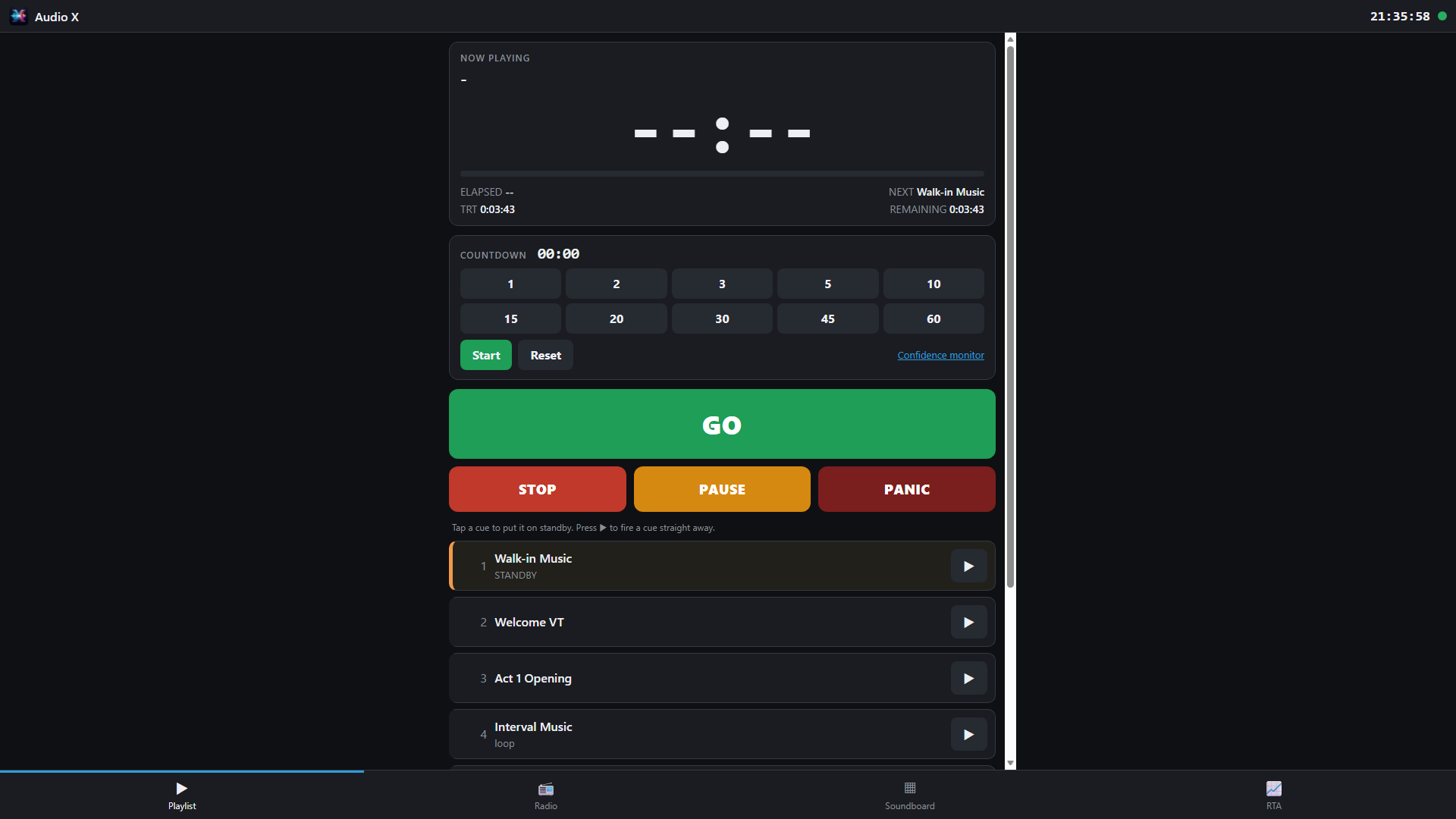
On a tablet or laptop the web page fills the screen: big GO, STOP, PAUSE and PANIC buttons, the cue list, countdown, radio and a full soundboard.
| Platform | Windows 10 and 11, 64-bit. Remote control from any modern browser and from Android. |
| Audio engine | Native real-time engine. Windows Audio, ASIO (including Dante Virtual Soundcard and the Yamaha Steinberg USB driver), up to 64 channels, 44.1 to 96 kHz. |
| File formats | WAV, BWF, AIFF, FLAC, MP3, AAC, Ogg and more through the engine and FFmpeg. Video files can be used for their audio. |
| Cue list | Fades, loops, auto-continue and auto-follow, per-cue outputs and gain, stems, action-only cues, TRT and remaining time, countdown timer, non-destructive trim. |
| Radio | Local playlist or Spotify (Premium), idents by song count or clock time, equal-power crossfades, ducker. |
| Recorder | Up to 48 tracks. WAV, BWF, RF64, BW64, 24-bit and 32-bit float, mono files or polywav, markers, iXML. |
| Analyser | 1/3 to 1/48 octave, A/C/Z weighting, Fast/Slow, Leq, Lmax, LCpeak, limit alarm, calibration, microphone correction files. |
| Show control | Yamaha TF (RCP over TCP), MIDI out (USB or network MIDI), Q-SYS (QRC). Art-Net timecode, NTP. |
| Media converter | Audio and video, H.264, H.265, AV1, VP9, ProRes. GPU encoders: NVIDIA NVENC, Intel Quick Sync, AMD AMF (when present and working). |
| Network | PIN-protected web remote, optional secure page for phone microphones, Stage Viewer, UDP discovery. For use on the show network. |
| Included | Audio X for Windows, Audio X Stage Viewer, Audio X Remote for Android, user manual (PDF and wiki). |
Media conversion and Process List use FFmpeg, which Audio X finds on the PC. OpenDaw (optional audio editor) and Spotify Premium are separate products.
No. Any Windows 10 or 11 PC with a sound card will do. For multi-channel work use an ASIO device such as Dante Virtual Soundcard, a USB interface, or a Yamaha TF console over USB.
Never. Non-MP3 files are converted to MP3 copies saved next to the originals. Trims and levels are stored in the cue list, and Undo restores every cue.
Yes. Open the secure page (https) in the phone's browser or in the Audio X Remote app, sign in with the PIN, and choose the phone's microphone in the Radio tab. Browsers only allow microphones on secure pages, so you accept the PC's certificate once.
Audio X controls Yamaha TF consoles over the network (scene recall, faders and mutes) and records from them over USB. It reads the console's scene and channel names and lists every action. Check the commands on your own console before a show; raw commands are available for anything different.
It is protected by a PIN, locks out repeated wrong attempts and only accepts commands from its own page. The connection is not encrypted on the plain page, so use it on the show network, not the internet.
It speeds up video conversion (H.264, H.265 and AV1). MP3 conversion, trimming and loudness analysis are processor jobs, so for those Audio X processes several files at once.
No. It is a monitoring aid. Its accuracy depends on your microphone and calibration. Use a certified meter where a legal limit applies.
Audio X is free software under the GNU Affero General Public License v3. You can read, change and share the source code.
Download the source code (.zip) Read the licence
The zip holds the audio engine, the Windows app, the web remote, the Android app, the installer scripts and the manual, with build instructions in BUILDING.md.
Questions, bug reports or ideas? Write to contact@audiox.info.
Install Audio X, open your audio device and press GO.
Download Audio X 1.4.0 User manual (PDF) Source code (.zip)